
Minecraft
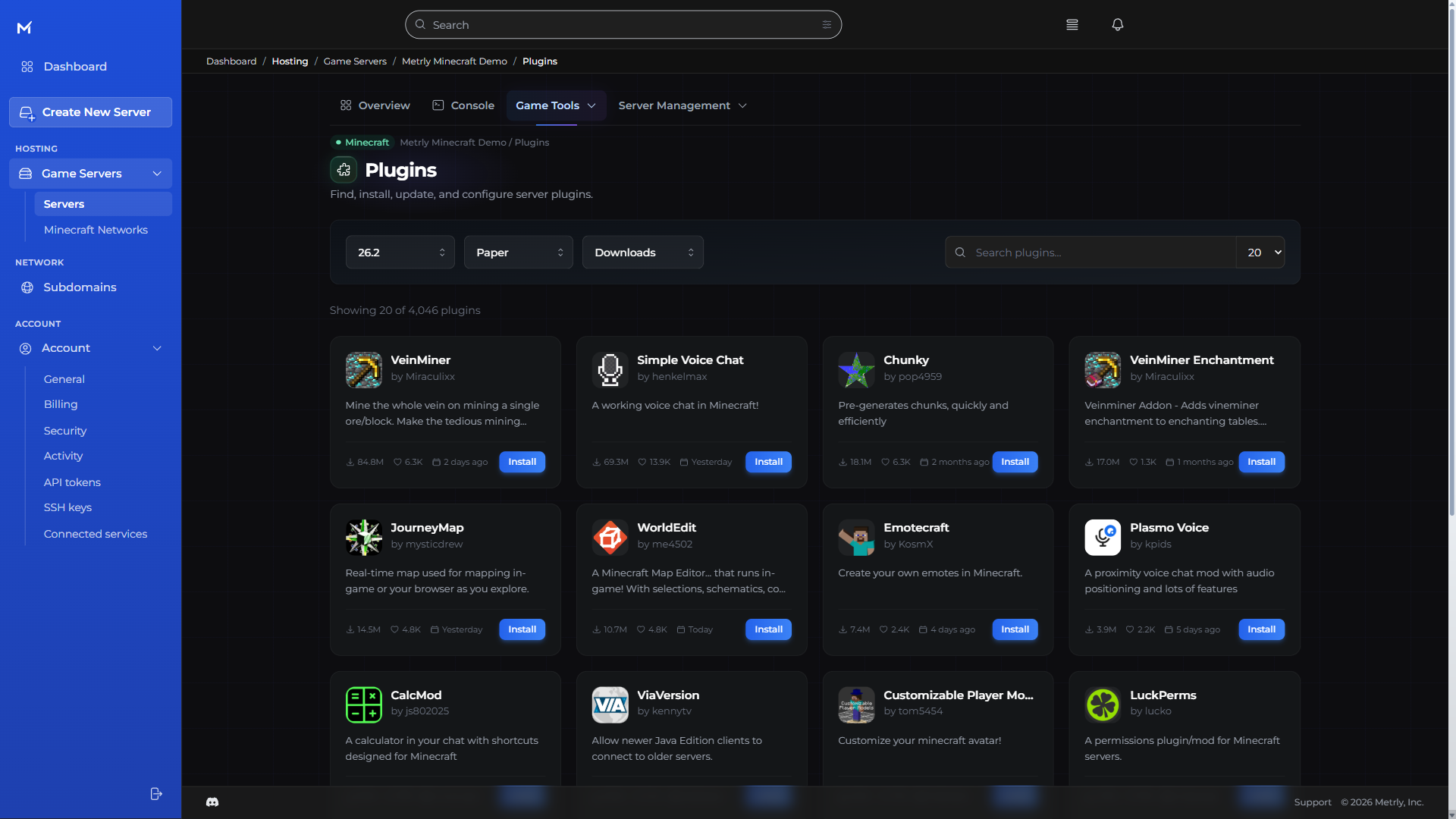
Browse plugins, mods, and modpacks. Choose your server software and version in the console.
Find your Minecraft serverGame servers. A simpler way to run them.
A familiar monthly price. The freedom to pay less when your server rests. And a console that makes game night feel simple.
Loading available packages…
Real dollars. A monthly cap. Your world ready when you are.
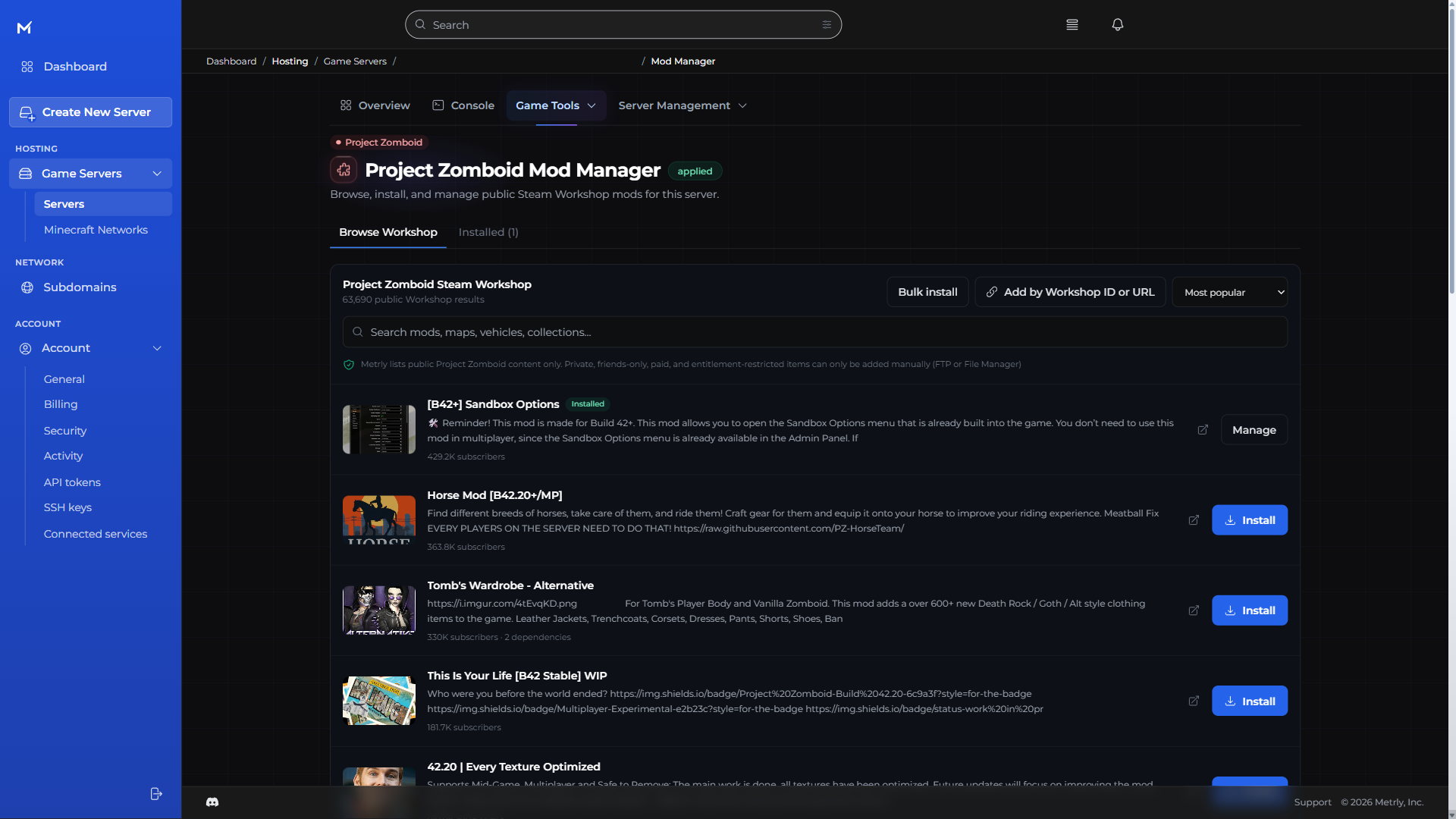
Find your fit · Project Zomboid
One full-featured console. Every size.
Checking available sizes and current prices.
Not just a place to press start
Find your next mod. Change the pace of your world. Prepare for a fresh wipe. Metrly puts the tools where you need them.
The Metrly console · every game
The everyday tools belong together. So you can make a change, bring in a friend, and get back to what you started.
Read server output, send commands, and start, stop, or restart your server in the browser.
Browse and upload files in the console, or connect with your preferred SFTP client.
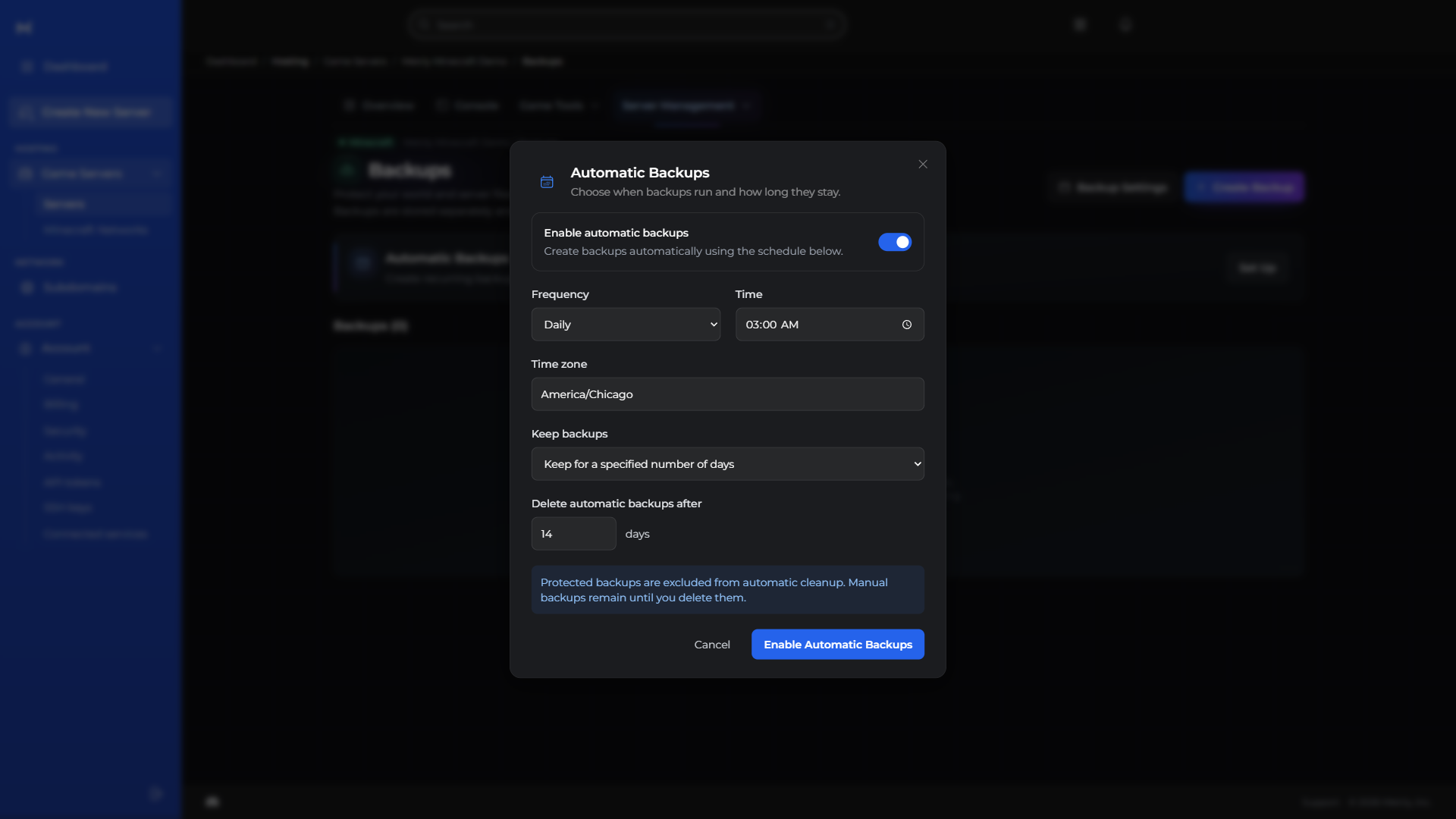
Protect your progress with backups, and put routine restarts and commands on a schedule.
Give teammates selected permissions and review recorded server activity without sharing your account login.
Manage a memorable server subdomain and find your assigned connection addresses and ports together.
Follow performance, resource use, and estimated costs without juggling dashboards.
Manage the databases behind your server and plugins in the same workspace.
Explore available regions and move your server from your console.
CPU, memory, storage, and network history together, with health checks to help investigate lag.
Upload, organize, rename, and copy files. Open SFTP when you prefer a desktop client.
Try something new without losing your way back. Keep a backup ready for your next big change.
Backups, restarts, and routine tasks. Set the rhythm once and leave the busywork to your server.
Choose a role or individual permissions for each teammate before sending an invitation.
Keep an eye on spending without a spreadsheet. See your usage and projected costs together.
Choose a server subdomain from the available domains in your console.
Your community can change. Your server can move with it. Find an available region right in the console.
Tools for your game
The same console, with dedicated tools for the game you choose.
Browse plugins, mods, and modpacks. Choose your server software and version in the console.
Find your Minecraft server
Manage Workshop mods, switch builds with safety backups, and keep your co-op world together.
Find your Project Zomboid server
Tune your world with visual settings and presets, or bring an existing co-op save through guided migration.
Find your Palworld server
From your first plugin to wipe day. Make your Rust server your own with tools built for the job.
Find your Rust serverSimple by design
Choose a size. Know the ceiling. Use schedules to cut running time, while your world and backups stay ready for the next session.
Compare server sizesYour selected package has a monthly cap. Within its included resources, a busier game night doesn’t create a surprise overage. More capacity is a choice you approve.
Running-time charges stop. The monthly minimum keeps your world and backups ready. It includes your running time up to that amount—it is not an extra charge.
Yes. Explore databases and voice servers, too. Each service lists its own available configuration and pricing.
From the team
Advance notice of Metrly’s recurring-billing, failed-payment, suspension, permanent-deletion, and data-retention policies.
Read updateYour next great world starts here
Help shape Metrly
Founders Club gives qualifying members lifetime 10% off eligible services. Terms apply.